
Choose the wrong tool and you’ll know within a week. Your After Effects project crawls on a laptop that handles everything else fine. An app team asks for an animation that reacts to taps, and you hand them a flat video. A client wants a 3D logo sting by Friday, and you’re still figuring out how nodes work.
The best motion design software in 2026 is the one that matches where your animation ends up: a broadcast timeline, a mobile app, a web page, or a social feed. That question matters more than it did five years ago, because the field has split in two. Desktop veterans such as Adobe After Effects and Maxon Cinema 4D keep shipping big updates, while browser tools like Jitter, Rive and Figma Motion now cover product animation without a render queue.
This article covers 15 tools in detail: what each one does well, who it suits, what it costs, and where it falls short. Pricing and features change often, so check each vendor’s page before you buy anything.
What Should You Look for in a Motion Tool Before You Pick One?
Motion design is the craft of animating graphic elements such as type, shapes, logos and interface components to communicate an idea. A tool is worth using when it exports the format you need, runs on the hardware you own and fits your budget. Everything else, including plugins and AI features, comes second.
Output format decides more than most people admit. A video file suits ads and social posts. A Lottie file (a lightweight JSON animation format that plays inside apps and websites) suits product teams. Real-time engines suit live broadcast and interactive installations. Pick the format first and your shortlist shrinks from fifteen to three or four.
When you compare any motion design software, test these five things:
- Output formats: Does it export video, GIF, Lottie, or a runtime file your developers can use?
- Learning curve: How many hours until you can finish a real project, not a tutorial?
- 3D capability: Do you need true 3D, or are 2D layers with a fake depth effect enough?
- Handoff and collaboration: Can editors, developers or clients open and review your work easily?
- Total cost: Subscription, plugins, a faster GPU and render time all count.
One honest caveat. Nobody can tell you which interface will feel right to your brain. Most tools below offer a free tier or trial, so spend a weekend on a small project before you commit money.
The right motion tool is decided by where the animation will live. Video exports suit ads and social posts, Lottie and runtime formats suit apps and websites, and real-time engines suit live graphics. Choosing the output format first narrows fifteen options to three or four.
How Do the 15 Tools Compare Side by Side?
After Effects remains the broadest all-round choice, Blender and DaVinci Resolve give the most for free, and Rive, Lottie Creator, Jitter and Figma Motion lead for app and web work. The table below shows what each tool outputs, how it’s priced and how hard it is to learn.
| Tool | Best for | Main output | Pricing model | Learning curve |
|---|---|---|---|---|
| Adobe After Effects | Layer-based animation and compositing | Video, Lottie (via plugin) | Subscription | Medium |
| Maxon Cinema 4D | 3D motion graphics | Video, image passes | Subscription (Maxon One) | Medium to high |
| DaVinci Resolve (Fusion) | Node-based compositing with editing | Video | Free; Studio is one-time | Medium to high |
| Apple Motion | Titles and effects for Final Cut Pro | Video, Final Cut templates | One-time purchase | Low to medium |
| Maxon Autograph | Procedural motion graphics | Video | Included in Maxon One | Medium |
| Blender 5.0 | Free 3D and 2D/3D hybrids | Video, image sequences | Free, open source | High |
| SideFX Houdini | Simulations and procedural 3D | Video, image sequences | Free tier and paid licences | Very high |
| Unreal Engine Motion Design | Real-time broadcast graphics | Real-time output, video | Free download, royalty terms | High |
| Spline | Interactive 3D for the web | Web embeds, video | Freemium | Low to medium |
| Cavalry | 2D procedural animation | Video, web formats | Freemium | Medium |
| Procreate Dreams | Hand-drawn animation on iPad | Video | One-time purchase | Low |
| Rive | Interactive, state-driven animation | Rive runtime files | Free for individuals; paid teams | Medium |
| Lottie Creator | Lightweight web and app animation | Lottie, dotLottie | Freemium | Low |
| Jitter | Fast product and social animation | Video, Lottie | Freemium | Low |
| Figma Motion | Animation inside Figma | MP4, GIF, WEBM, animated SVG | Included with Figma (beta) | Low |
Which Desktop Tools Lead for Broadcast, Film and Social Video?
Five desktop applications cover most professional video work: After Effects, Cinema 4D, DaVinci Resolve with Fusion, Apple Motion and Autograph. They handle long timelines, heavy compositing and broadcast-quality output. The right pick depends on whether you work in layers, nodes, 3D or inside a specific editor.
1. Adobe After Effects
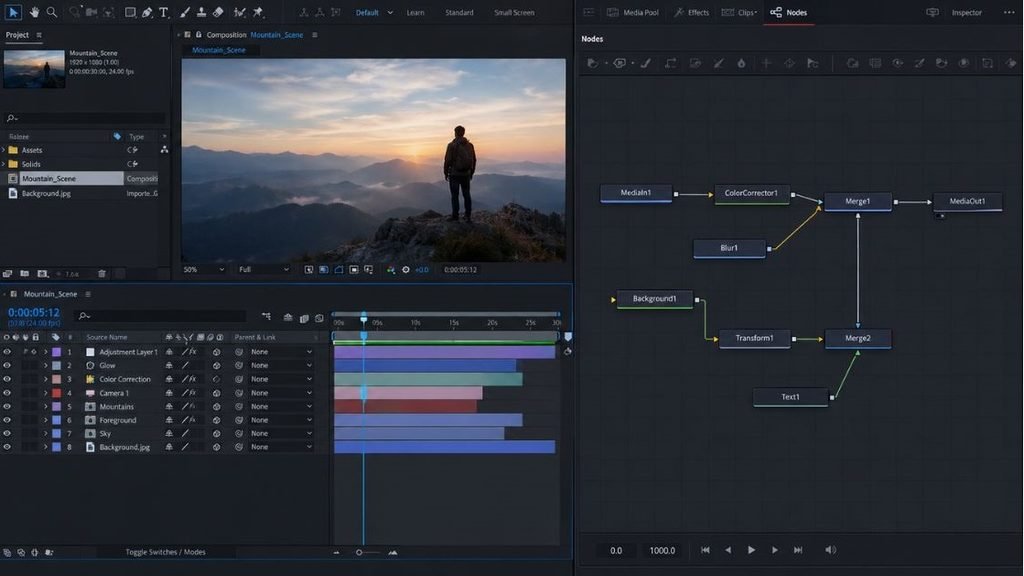
Adobe After Effects is a layer-based animation and compositing application, and it’s still the tool most studios and agencies expect you to know. Version 26.0 arrived in January 2026 with native SVG import, variable font support, a new Unmult effect for keying out black or white backgrounds, and three audio effects: Distortion, Compressor and Noise Gate, according to Pro Video Coalition’s release roundup. Expression scripting also gained new property methods, which helps if you build templates other people reuse.
Its real advantage is the workflow around it. Dynamic Link connects it to Premiere Pro, and Photoshop and Illustrator files import with their layers. A huge library of templates and plugins means almost any effect you can imagine has a ready-made starting point.
The trade-off is cost and weight. It’s subscription-only, it eats RAM on long compositions, and its 3D tools still won’t replace a dedicated 3D app.
Pricing: Subscription through Adobe Creative Cloud, as a single app or inside the All Apps plan. Regional prices vary, so check Adobe’s plans page.
2. Maxon Cinema 4D
Maxon Cinema 4D is a 3D modelling and animation application known for making 3D feel approachable to people who started in 2D. Its MoGraph toolset (Cloners, Effectors and Fields) lets you duplicate objects and control them with simple rules, so a wall of animated cubes comes together in minutes. Redshift, Maxon’s production renderer, ships with Maxon One, which also bundles ZBrush, Red Giant, Universe and Autograph, plus Cineversity training, according to Maxon’s own listing.
Cinema 4D pairs naturally with After Effects. You build the 3D scene, render it in passes, then finish colour and text in 2D. The catch is price. Super Renders Farm read Maxon One at €1,425.57 per licence per year on Maxon’s public page on October 6, 2026 (the figure may include local VAT), and that’s hard to justify if you only animate flat shapes.
Pricing: Maxon One subscription, which includes Cinema 4D and Redshift. Confirm current regional pricing on maxon.net.
3. DaVinci Resolve with Fusion
Blackmagic Design’s DaVinci Resolve is an editing, colour, audio and effects suite, and its Fusion page is a node-based compositing and motion graphics environment. In a node-based tool, each effect is a box on a graph and you connect the boxes to control how an image flows through. That structure suits complex composites because you can see exactly what feeds what.
The big draw is that the free version of Resolve includes Fusion, so a freelancer can edit, grade and animate titles without paying anything. Resolve Studio is a one-time purchase (around $295 at the time of writing, though Blackmagic can change that) and adds extra GPU-accelerated tools. The downsides? Node graphs feel strange if you’ve only worked with layers, and the community of motion templates is smaller than the After Effects one.
Pricing: Free version includes Fusion. Studio is a one-time paid upgrade.
4. Apple Motion
Apple Motion is a Mac-only motion graphics app built to work closely with Final Cut Pro. Playback is real-time, so you see changes as you make them instead of waiting for a preview to build. Behaviors, such as Throw or Spin, let you animate by describing the movement instead of placing keyframes, and you can publish finished titles, transitions and effects as templates that appear inside Final Cut Pro.
If you edit in Final Cut and need custom lower thirds on a deadline, it’s hard to beat. If you need heavy compositing, a deep plugin market or Windows support, it’ll frustrate you.
Pricing: One-time purchase on the Mac App Store, with no subscription. Check the current price in your region.
5. Maxon Autograph
Autograph is Maxon’s motion graphics and compositing application, and it comes as part of Maxon One. It’s aimed at designers who want to build animation systems, meaning reusable setups where changing one parameter updates a whole sequence, instead of keyframing every layer by hand. Think of it as the choice for people who enjoy structure.
Be realistic about the trade-off. Its community is far smaller than After Effects’, so you’ll find fewer tutorials, templates and freelancers who know it. That matters on team projects, because someone else has to open your file. If you already pay for Maxon One it costs nothing extra, which makes it an easy tool to try.
Pricing: Included in Maxon One. Check Maxon’s site for any standalone options.
After Effects is the safest all-round desktop choice for layer-based work, Cinema 4D adds approachable 3D, and DaVinci Resolve’s Fusion page gives node-based compositing for free. Apple Motion suits Final Cut Pro editors, while Autograph appeals to designers who prefer building procedural systems.
Which 3D and Procedural Tools Add Depth and Simulation?
Blender, Houdini, Unreal Engine and Spline cover 3D work at very different levels of difficulty. Blender gives the most capability for free, Houdini handles simulation, Unreal Engine handles real-time graphics and Spline handles interactive 3D for the web.
6. Blender 5.0
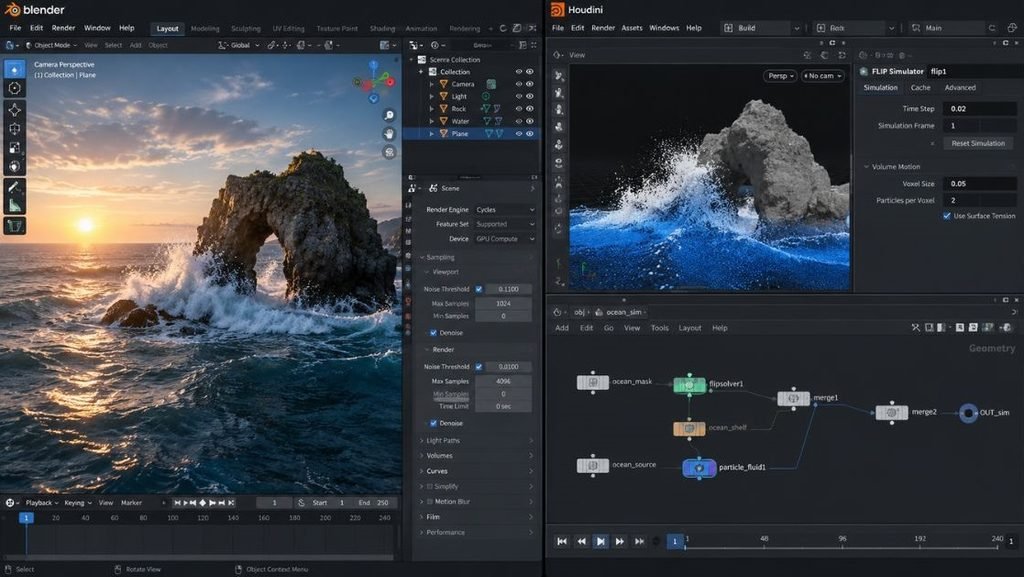
Blender is a free, open-source 3D application, and version 5.0, released on November 18, 2025, is the strongest argument yet that you don’t need a subscription for serious work. Its overhauled colour pipeline supports ACES 1.3 and 2.0 workflows and HDR output. Geometry Nodes (a node system for building procedural geometry) now handles volumes, and a new Array modifier plus Scatter on Surface make cloning and scattering objects easier. Grease Pencil, Blender’s 2D-drawing tool inside a 3D scene, also gained motion blur.
Motion designers will like the new Compositor modifier in the Video Sequencer, which lets you apply compositing node trees right on the editing timeline. The cost is a learning curve. The interface rewards patience, and broadcast-style templates are scarcer than in the Adobe and Maxon libraries.
Pricing: Free and open source.
7. SideFX Houdini
Houdini is a procedural 3D application from SideFX, built around the idea that everything is a network of nodes you can change later. That’s why studios use it for particles, fluids, destruction and other simulations that would be painful to fake by hand. Change an input at the start of the network and everything downstream updates.
For everyday motion design it’s usually overkill. But if you’re building abstract generative visuals, product explosions or liquid simulations for a hero shot, nothing else on this list goes as deep. SideFX offers a free Apprentice tier and a lower-cost Indie licence, and Super Renders Farm notes both carry usage limits, so read the terms before taking client work.
Pricing: Free Apprentice tier, an Indie licence and full commercial licences. Check SideFX for current terms.
8. Unreal Engine Motion Design
Unreal Engine is Epic Games’ real-time engine, and its Motion Design toolset (which began life under the name Avalanche) targets broadcast graphics, live events and virtual production. Real-time means the scene renders instantly as you work. There’s no overnight render queue, and you can change a graphic live, even on air.
It suits studios and broadcasters that need graphics driven by live data or controlled by an operator. For a solo freelancer cutting social ads, it’s a heavy lift: you’ll want a strong GPU and some patience with game-engine terminology.
Pricing: Free to download. Epic’s royalty terms apply to qualifying commercial products, so check the licence if you’re shipping something with it.
9. Spline
Spline is a browser-based 3D design tool that makes interactive 3D for websites simple. You design objects, add states and events such as hover or click, then export to the web or as video. A product landing page with a 3D object that follows the cursor is the classic use.
It’s friendly for designers who think in Figma rather than in render passes. Don’t expect film-grade lighting or simulation, though. Heavy scenes can also stutter on older phones, so test on a real mid-range device before launch.
Pricing: Freemium, with paid plans for teams and extra features.
Which 2D Tools Work Best for Procedural and Hand-Drawn Animation?
If you work mostly in 2D, you don’t need a heavy 3D app. Cavalry suits rule-based, pattern-driven animation on a desktop, and Procreate Dreams suits hand-drawn work on an iPad.
10. Cavalry
Cavalry is a 2D procedural animation application. Procedural means you build behaviours and rules, such as a Duplicator that clones a shape 200 times, then animate the rules instead of each copy. That’s why designers who make patterned, rhythmic or data-driven animation like it, like a logo that builds itself from a grid.
It’s fast. Playback is real-time and changes show up immediately. The limitation is scope: it’s a 2D tool, so video editing, 3D and heavy compositing happen somewhere else.
Pricing: Free tier plus a paid Pro subscription. Check the current feature split on Cavalry’s website.
11. Procreate Dreams
Procreate Dreams is an iPad animation app from the makers of Procreate, built around Apple Pencil drawing and a timeline editor. You can animate frame by frame, add keyframed transforms, and layer video and audio in one place. For hand-drawn explainers, character loops and texture-heavy social clips, it feels more natural than a mouse-driven desktop app.
It’s not a compositing machine, so skip it for complex effects or large template systems. And it’s iPad only.
Pricing: One-time purchase on the App Store.
Which Tools Suit App, Web and Product Teams?
Product animation has different needs from film. Files must be tiny, they have to play on phones, and developers need to implement them. A lot of motion design software ignores that handoff problem, but these four tools were built around it: Rive, Lottie Creator, Jitter and Figma Motion.
12. Rive
Rive is a design and animation tool for interactive graphics in apps, games and websites. Its standout feature is the State Machine, which lets you define animation states and the transitions between them, so a button, character or progress indicator can react to user input in real time. Rive’s runtime plays the file inside the product, which means you ship the animation as part of the app rather than as a video.
As of April 2026, Rive is free for individuals with all features included, according to LottieFiles’ July 2026 comparison. Duolingo is the brand most often cited for character animation built this way. Remember the trade-off: Rive files need the Rive runtime, so they aren’t as universal as Lottie.
Pricing: Free for individuals, with paid plans for teams.
13. Lottie Creator
Lottie is a lightweight JSON-based animation format created by Airbnb engineers and used across web and mobile apps. Lottie Creator is LottieFiles’ browser tool for building those animations. It includes a State Machine editor for dotLottie interactivity and an AI assistant called Motion Copilot that turns text prompts into editable keyframes, according to LottieFiles.
Lottie plays almost anywhere, which is the format’s biggest strength. The free tier includes 5 animation exports, so if you produce a lot of assets you’ll hit the cap quickly. And Lottie struggles with complex effects such as heavy blurs and textures.
Pricing: Free tier with 5 exports; paid plans add more.
14. Jitter
Jitter is a web-based tool for creating simple, polished animations quickly. You can import designs from Figma, apply motion presets and templates, and export to video or Lottie. Its interface is closer to a design tool than a timeline-heavy animation app, so social graphics, app promos and product announcements come together fast.
LottieFiles’ 2026 comparison lists AI keyframe generation among its features. The limit is depth. You won’t build complex compositing or 3D here, and long projects belong in After Effects.
Pricing: Freemium, with paid plans. Check Jitter’s site for current limits.
15. Figma Motion
Figma Motion is the animation tool built into Figma, added in beta as of June 2026 per LottieFiles. You animate your design frames in the same file, so there’s no export-and-reimport round trip with a separate app. Exports include MP4, GIF, WEBM and animated SVG, and the free LottieFiles for Figma plugin exports Lottie and dotLottie.
Because it’s in beta, features and limits may change, so treat it as a promising option rather than a finished one. It’s an easy pick if your team already lives in Figma.
Pricing: Included with Figma during the beta. Check Figma for plan changes.
Product teams should pick tools by the file format developers can ship. Rive suits interactive, state-driven animation, Lottie Creator suits lightweight animation that plays almost anywhere, and Jitter and Figma Motion suit quick work close to the design file.
How Do You Pick the Right Tool for Your Workflow?
Start with the destination, then your hardware, then your budget. If the animation ends up in a video, choose among After Effects, Resolve, Apple Motion and Cavalry. If it ends up in an app, choose among Rive, Lottie Creator and Jitter. If it needs depth, add Blender or Cinema 4D.
- Write down where the animation will play. A video file, an app screen, a website or a live broadcast each point to different tools.
- List the hardware you own. Apple Motion needs a Mac, Procreate Dreams needs an iPad, and browser tools run on almost anything.
- Set a monthly budget. Include plugins, stock assets and any render power you’ll need.
- Trial two tools on one small project. A ten-second logo animation works well. Time how long each takes.
- Ask your editor or developer what file they need. Their answer often settles the choice.
A few quick matches help. Freelance social video: After Effects or Apple Motion. 3D logo and product shots: Cinema 4D or Blender. Interactive app animation: Rive or Lottie Creator. Hand-drawn explainers: Procreate Dreams. Fast launch graphics in a design team: Jitter or Figma Motion.
Many professionals combine tools rather than choose one. A common pairing is Cinema 4D for 3D renders and After Effects for the final composite. Another is Figma for design with Jitter or Figma Motion for the animation. Don’t feel you have to pick a single winner.
One more thing worth saying: AI features are showing up everywhere, including Lottie Creator’s Motion Copilot, keyframe generation in Jitter, and a coding agent in Rive, according to LottieFiles’ 2026 comparison. They’re handy for first drafts. They don’t replace taste, brand judgment or knowing what a client actually needs.
Conclusion
Treat motion design software as a way to reach an output format, not as a status symbol. After Effects is still the safest all-round desktop pick, Blender and DaVinci Resolve prove you can do serious work for free, and Rive, Lottie Creator, Jitter and Figma Motion make product animation far quicker than it used to be.
Your next step is small. Pick two tools from this list that match your destination, spend a weekend animating the same ten-second logo in both, and note which one you’d happily open again on Monday. That test tells you more than any ranking.
FAQs
What is motion design?
Motion design is the craft of animating graphic elements such as text, shapes, logos and interface components to communicate an idea. It sits between graphic design and animation, and shows up in ads, explainer videos, app interfaces, broadcast titles and social posts. The focus is usually clear communication rather than telling a story through character acting.
Which tool is best for beginners?
Start with the tool that matches where you’ll publish. For social video, Jitter in the browser, DaVinci Resolve’s free Fusion page or Apple Motion on a Mac give the gentlest start. After Effects is a fair second step because tutorials for it are everywhere. Skip Houdini and Unreal Engine until you’ve finished a few projects elsewhere.
What’s the difference between After Effects and Cinema 4D?
After Effects is a 2D, layer-based animation and compositing app. Cinema 4D is a 3D modelling and animation app. Most designers use both: they build and render 3D in Cinema 4D, then composite and add text in After Effects. If you only animate flat graphics, you don’t need Cinema 4D.
What’s the best free motion graphics tool?
It depends on what you make. Blender is the strongest free 3D option, and DaVinci Resolve’s free version includes the Fusion page for compositing and titles. Rive is free for individuals as of April 2026, and Cavalry and Spline have free tiers. For most beginners, Resolve and Blender give the most capability, with the trade-off being the time it takes to learn them.
Can I do motion design on an iPad?Can I do motion design on an iPad?
Yes. Procreate Dreams is built for the iPad and suits hand-drawn animation with Apple Pencil. Browser-based tools such as Jitter and Figma Motion also run on tablets, though precise editing is easier with a mouse. For heavy compositing or 3D, you’ll still want a desktop.
Should I use Lottie or Rive for app animations?
Use Lottie when you need an animation that plays almost anywhere and mostly runs from start to finish, like an onboarding loop. Use Rive when the animation needs to react to input, such as a toggle or a character that follows taps. Rive files need the Rive runtime, so ask your developers which one their stack supports before you start.
Is After Effects worth it in 2026?
For most professional video work, yes. Version 26 added native SVG import, variable fonts and new effects, and the template and plugin library is unmatched. If you only make app animations or simple social graphics, a cheaper or free tool such as Jitter or Resolve may cover everything you need. Match the price to the work you actually do.
How do I hand off animations to developers?
Ask them what format they can ship before you animate anything. For most apps, export Lottie or dotLottie from After Effects (via a plugin), Lottie Creator or Jitter. If the animation needs to respond to user input, build it in Rive and share the Rive file. Add a short note with timing and easing so developers can match your intent.
Why is my animation project lagging, and how do I fix it?
Lag usually comes from high preview resolution, heavy effects stacked on many layers, or too little RAM. Lower the preview quality, pre-render complex sections, turn off layers you aren’t working on and close other apps. After Effects and Cinema 4D benefit from plenty of RAM and a good GPU, while browser tools like Jitter run fine on modest laptops. If lag persists on simple projects, check for outdated GPU drivers.
Will AI replace motion designers?
Not on the evidence so far. AI features in tools such as Lottie Creator, Jitter and Rive speed up first drafts and repetitive keyframing. But brand judgment, timing, taste and knowing a client’s real goal still come from a person. The designers who learn to direct these tools will likely be better placed than those who ignore them.


